Bitunix API Setup Instructions
Follow these steps to create and configure your Bitunix API key, then link it securely to your Tradeture account.
Log In to Your Bitunix Account
Go to Bitunix and log in using your credentials.
Navigate to API Management
Click API for desktop users. On mobile, Need to use any browser and visit Bitunix website.
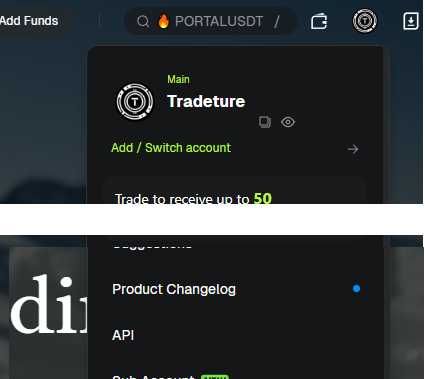
Create a New API Key
Click Create New Key and select System-generated API Keys.
Give your API a Name.
Set Purpose Trading-API, set Permission to 'Trade'.
Paste the Tradeture server IP found in step 4 as the only IP to have access to this API key.
Cick Submit at the bottom of the page.
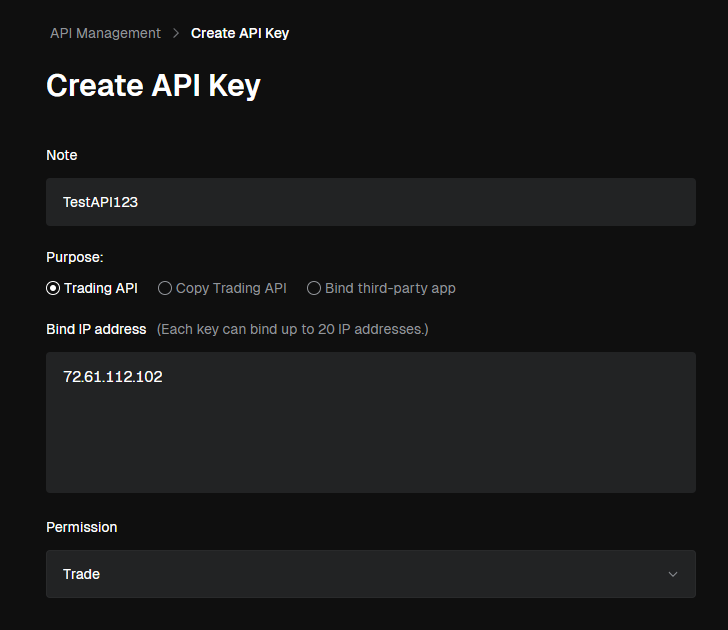
- ✓ Trade Permission Only
- ✕ DO NOT enable withdrawal permissions
Add Tradeture's Server IP for Fail-Safe Protection
I strongly recommend to Bind the created API key only for Tradeture's server address below
This is your fail-safe. If a hacker ever obtains your API key from the Tradeture database, or your own keys got stolen, the key still cannot be used from anywhere else — it only works when the request comes from Tradeture's server.
Securing your own Account is still your responsibility. never share your username and password to anyone.
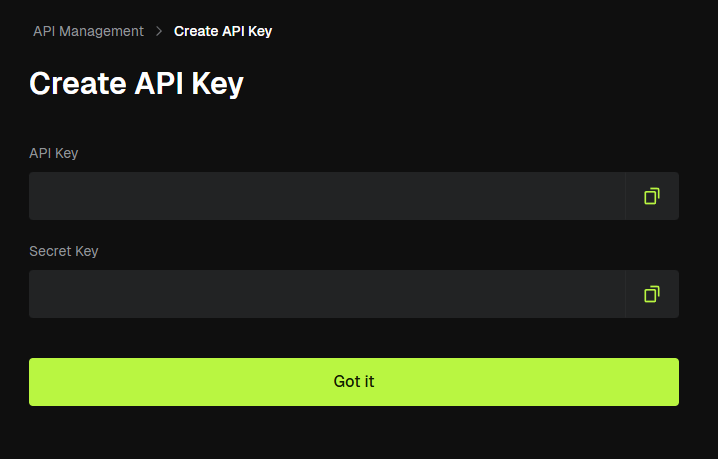
Copy API Key and Secret
After generating the API key, copy the API Key and API Secret. You'll need to enter these into your Tradeture account settings.
Add API Key to Tradeture
Log in to your Tradeture account, go to API Settings, and paste your API Key and Secret to establish the connection.
Go to API Settings →In the Rare Event Tradeture Is Compromised
Should the extremely rare event ever occur where Tradeture's own server is compromised, securing your account is simple: just delete the API key on your exchange. This immediately breaks the connection to the old key, and it can no longer be used by anyone — including from Tradeture's server.
Knowledge and preparedness are essential for maximum security.